Discover. Leverage. Achieve results. Your Information Foundation for the AI Era.
SlidePro for Microsoft SharePoint Online
We consolidate and organize information scattered across various locations into Microsoft SharePoint Online (hereinafter, “SharePoint Online”), creating an information environment that is easy for both people and AI to utilize. By establishing a framework that enables effective information utilization, we help to promote knowledge sharing, streamline business operations, and enhance productivity.
Service Overview
This service consolidates and organizes scattered internal information in SharePoint Online, leveraging our expertise in UI/UX and SharePoint Online to design an information environment that makes information easier to find and use. By creating an environment where information is readily accessible and utilized, we promote knowledge sharing, streamline business operations, and enhance productivity through AI adoption.
- 1.Consolidate Information in One Place
-
Consolidates information scattered across file servers, Microsoft OneDrive, email, and other sources into SharePoint Online, establishing an environment where all information can be centrally managed.
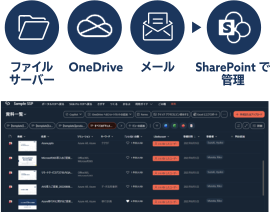
- 2.Organize Information Using Structured Categories and Tags
-
Leverages categories and tags to classify and organize information, creating a structured information environment that is easy for both people and AI to utilize.
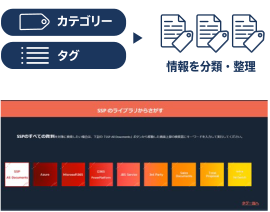
- 3. Discover Information Through Multiple Ways of Accessing and Exploring Content
-
Provides an environment where users can quickly find and utilize the information they need through search, filtering, and navigation.
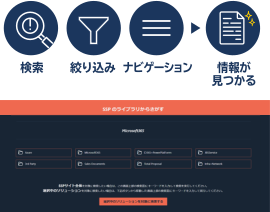
Are You Facing Any of These Challenges?

Service Benefits
- Promoting Knowledge Sharing and Utilization
-
Consolidate previously scattered information into SharePoint Online and centrally manage access permissions and version control. This makes organizational knowledge and expertise easier to access and leverage across the organization, promoting knowledge sharing and reuse.

- Streamlining Business Operations
-
Users will be able to quickly find the information they need, reducing the time and effort spent searching for documents and responding to inquiries. Easy access to information streamlines day-to-day operations and improves overall business efficiency.

- Enhancing Productivity Through AI Adoption
-
Documents consolidated and structured in the cloud become valuable data that can be leveraged by cloud-based AI tools such as Microsoft 365 Copilot (hereinafter, “Copilot”). By making organizational information readily accessible to AI, we create a foundation for improving productivity across the entire organization.

Service Details
By assessing scattered information and organizing and consolidating it in SharePoint Online, we establish a foundation that enables both people and AI to easily find the information they need. We balance user-friendliness with operational efficiency, creating a sustainable environment where AI tools such as Copilot can be continuously leveraged to drive productivity.
Approach to Building an Information Foundation
We build an information foundation that makes information easy for both people and AI to find through five steps, from information assessment and categorization and tag design to SharePoint Online implementation and AI adoption. Based on your organization’s challenges and requirements, we propose a tailored scope of support to meet your needs.
- Step 1
Current State Assessment -
Identify information scattered across various locations and assess its volume, types, and usage to establish an overall roadmap for information organization and consolidation.

- Step 2
UX Design and Category -
Based on the information gathered, design a structured taxonomy of categories and tags to create an information architecture that enables both people and AI to easily find what they need.

- Step 3
UI Design -
Create and customize SlidePro templates to consolidate information in SharePoint Online, establishing an easy-to-navigate information platform.

- Step 4
Data Migration -
Consolidate and organize scattered information in SlidePro, making it easy to find and access.

- Step 5
AI Adoption -
Leverage consolidated data with cloud-based AI tools such as Copilot for search, summarization, and content creation, driving continuous AI adoption across the organization.

Service Plans
We offer three plans tailored to meet your specific needs. Under the Standard and Advanced Plans, we conduct thorough interviews to understand your current information landscape and operational processes, then propose an optimal information organization and consolidation strategy based on the challenges identified.
| Service Offering | Basic Plan | Standard Plan | Advanced Plan |
|---|---|---|---|
| SlidePro Implementation Template Creation | |||
| SlidePro Customization(※2) | |||
| Data Migration Support | |||
| AI Adoption Support | |||
| Details | Create a sample template and configure categories.(※1) | Configure and customize categories based on customer interviews and specific requirements.(※2) | In addition to the Basic Plan offerings, this plan includes data migration and AI adoption support. |
- 1 As the template is created as a sample, customers are responsible for updating the categories to reflect their actual requirements.
- 2 Customization is limited to operations using standard SharePoint Online features. Automation setup and advanced customization using JSON are not included. One round of revisions is included.
Example: Standard Plan Implementation Process
1. Customer Interview
Discuss and gather your requirements, including your preferred design direction and specific needs.
2. Category Planning and Finalization
Review and define categories based on the information gathered during the interview, then finalize the category structure.
3. Document Library Creation
Implement a prototype document library that incorporates the requirements gathered during the interview.
4. Top Page and Category Page Creation
Create a document portal homepage and category pages designed to make documents easy to find and manage.
5. Review
Review the prototype implemented in your SharePoint Online environment and gather your feedback.
6. Feedback and Revisions
Incorporate your feedback and comments into the prototype and make the necessary revisions.
- Related Tag
Related Solution
-
Portal Site Design Refinement Service for SharePoint Online
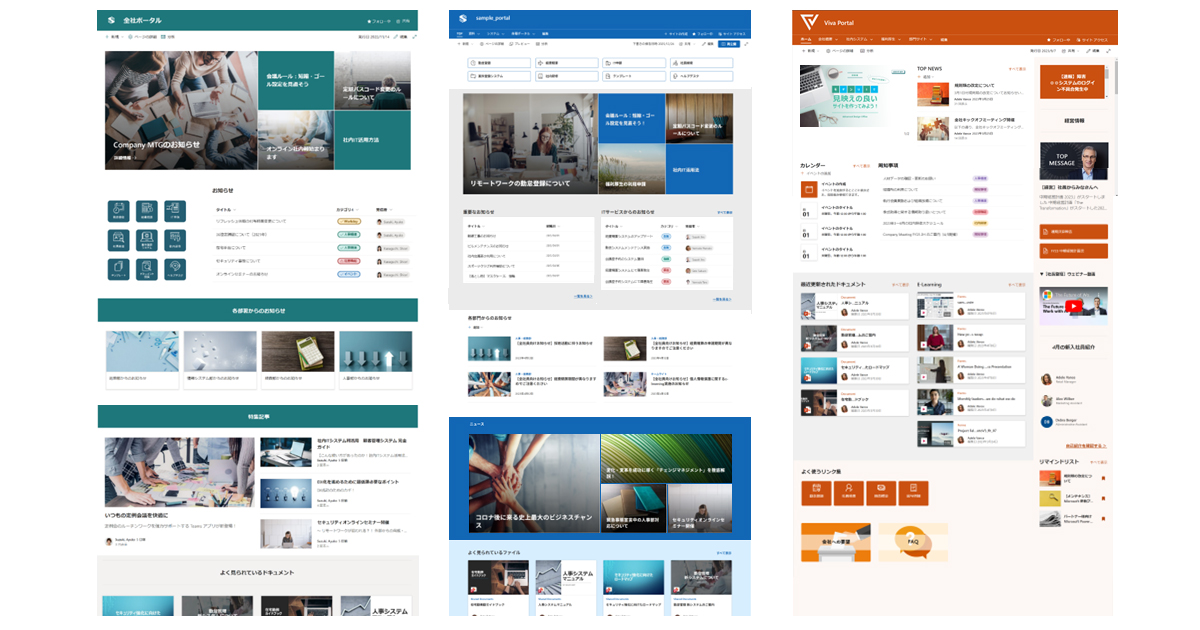
We review the structure and navigation of your SharePoint Online-based intranet portal, transforming it into an intuitive portal site that employees can use with confidence. By enhancing the design, we improve information visibility, increase user engagement, and help establish a foundation for your digital transformation.
Find, Use, Evolve. Turn Your Portal Site into the Starting Point of Your Digital Transformation.
- Microsoft
- Other
- DX & Insourcing
-
Smart Start for SharePoint Online
This service narrows down the use of SharePoint to a portal. It is aimed at customers who are hesitant to implement SharePoint because there is so much it can be used for, but they don’t know how best to proceed. Sorting through the necessary functions and adopting a designed site template, you can start using SharePoint in a short time.
Use a Portal Site to Make SharePoint Easy!
- Microsoft
- Microsoft 365
- Other
- Cloud
- Collaboration
- Work Remotely

 Share
